Machine API for scripts, Claude Code and partners
Your videos are produced elsewhere? Scripts, Claude Code and partner tools deliver them straight into scheduling, with access keys instead of clicking.
- Access keys for scripts and partners, shown once, with fixed rights, revocable at any time
- Deliver a video with its script, have title and description generated by AI, take the next free slot
- Rule violations are reported, and you can override them on purpose
What it is for
If your videos are produced elsewhere (your own renderer, a tool like GoMotion, a script in Claude Code), they should land in Castfold without clicking and go out by your rules. That is what the machine API is for: everything you do in the cockpit, a program can do on your behalf.
Access keys with fixed rights
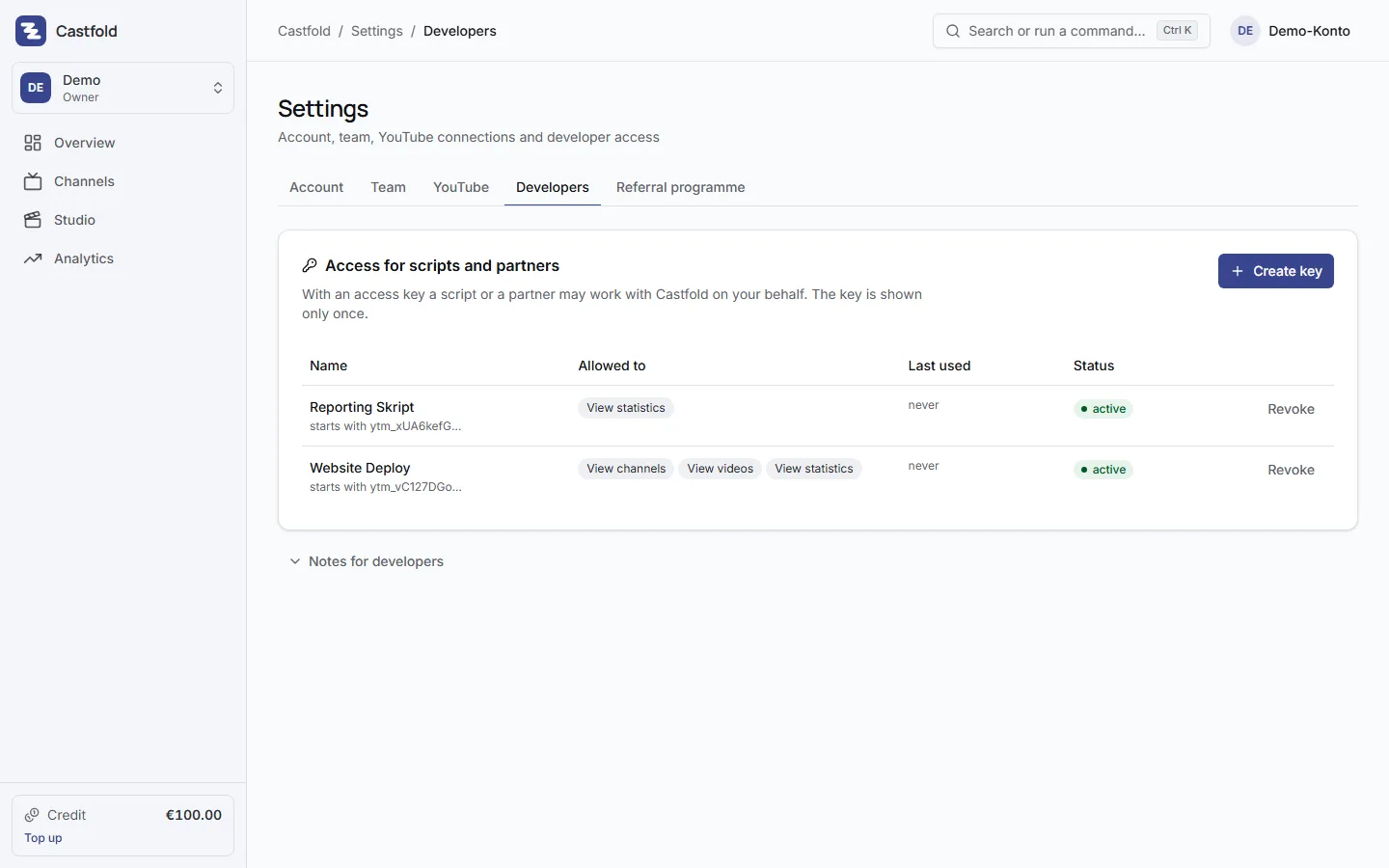
In the settings, under “Access for scripts and partners”, you create an access key. You give it a name, decide what it may do (view channels, create and edit videos, publish, read key figures) and see it exactly once in plain text. After that Castfold only shows the beginning. A key can be revoked at any time; from then on the script is locked out and your account stays untouched.
What a script can do
- Read all channels: status, language, posting rules, latest figures
- Ask for a channel’s next free publishing slot
- Deliver a video with file, thumbnail, title, script and language, choosing to publish now, at a set time, into the next free slot, or to upload only
- Have title, description and tags generated by AI from the script
- Publish a waiting video later
- Pull key figures across all channels for a period
The full description with examples is in the app under “Notes for developers”.
Behaviour you can rely on
Errors come back with a readable explanation. If a slot breaks the channel’s posting rules, Castfold reports it with details; if you want the violation on purpose, you override it. At times of high load Castfold moves the upload to the next free slot, and you see the date in scheduling. Without a YouTube connection on the channel the video waits in the channel and is published once the connection is in place.
For partners
Integration partners get access keys with restricted rights and a partner id, so their customers can work with a single “Send to Castfold” button. Details under integration partners.