Setup checklist, YouTube connection and channel import
YouTube only lets you create channels by hand. The checklist prepares everything; the connection takes care of the rest. Existing channels come in with their videos.
- Six steps with progress, each linking to the right spot in YouTube Studio
- Connection per channel through your Google account, revocable at any time
- After connecting, Castfold shows you the channel it found; only once you confirm does it transfer title, description, keywords and banner
- Import existing channels with their videos and analytics
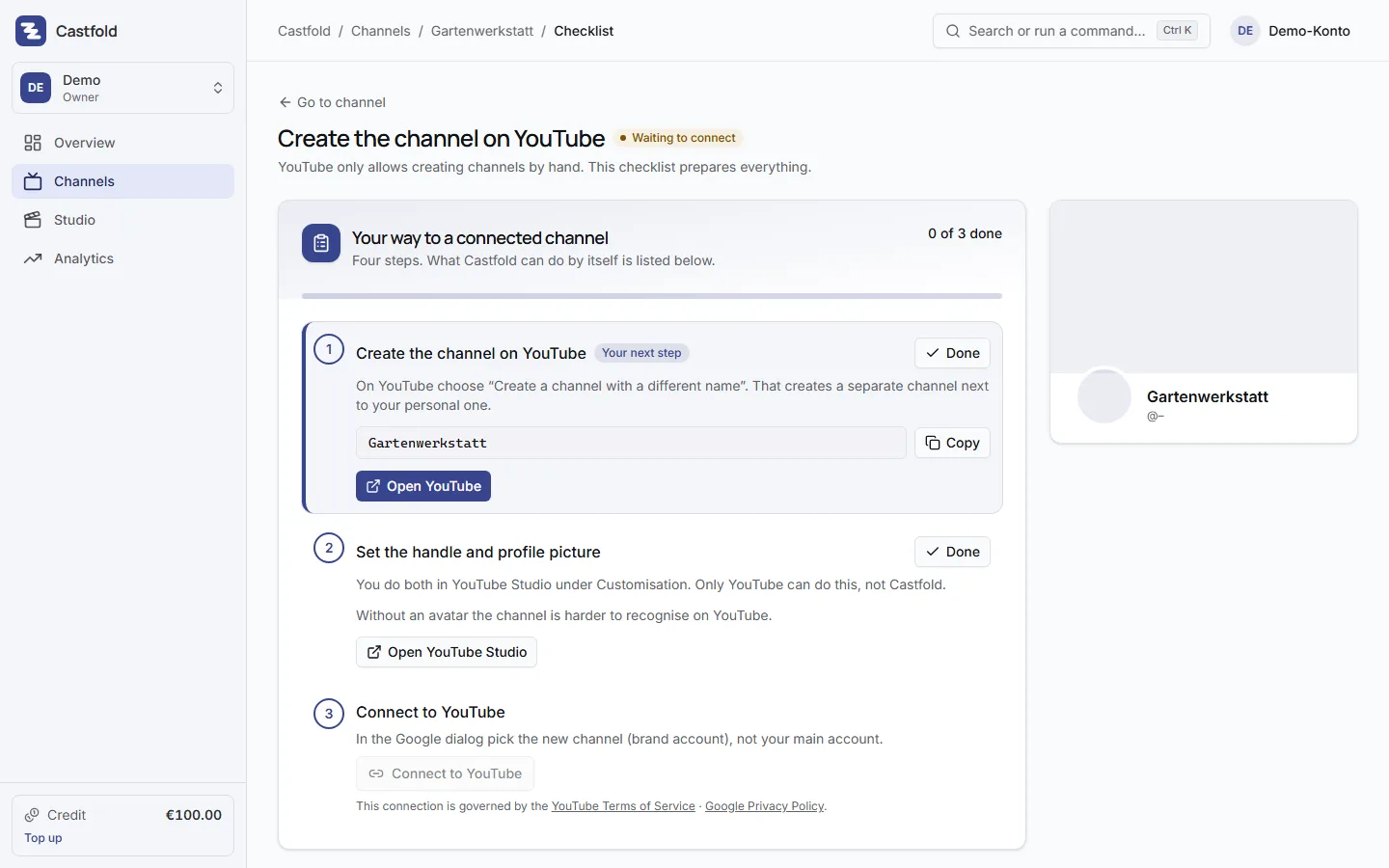
Honestly: YouTube only creates channels by hand
The YouTube interface cannot create channels, set handles or upload profile pictures. Castfold does not pretend otherwise. Instead, every channel gets a checklist with exactly the steps you have to do yourself, plus everything you need for them, ready to copy and download.
The checklist
- Create the channel on YouTube as a brand account with the name from the concept
- Set the handle from the suggestions
- Upload the profile picture, the image is ready to download
- Keep the banner ready, Castfold transfers it once you confirm the channel it found
- Description and keywords, applied once you confirm, also available to copy
- Connect to YouTube
Every step shows progress and opens YouTube or YouTube Studio at the right place.
One connection per channel
Google grants access per YouTube channel. So you connect each channel once and pick the matching brand account in the Google dialog. Castfold then shows you the channel it found, with title, handle, subscriber and video count: “Is this your channel?”. Only once you confirm does Castfold transfer title, description, keywords and banner; uploads and analytics run through this connection. The credentials are stored encrypted and renewed automatically; you can disconnect at any time, also from your Google security settings.
Import existing channels
You already run channels with videos? Then import them instead of creating them again: choose “Import an existing channel”, sign in with Google, pick the channel, confirm the channel found. Castfold takes over channel picture and banner, name, handle and description, every video with its title and description, and the analytics of the last weeks. Video files are not copied; the videos stay on YouTube. You do not need a channel concept for this and can add one at any time.
Every channel is a channel in your subscription and costs €19 per month incl. 19 % VAT. Before the import Castfold shows how many channels you will have afterwards and what that costs per month.
Published at the scheduled time
As soon as you schedule a video, Castfold uploads it to YouTube right away and YouTube publishes it exactly on schedule, with no manual step in YouTube Studio. Uploads across all channels are spread over the day by Castfold; your publishing time stays. One upload per channel and day is included in the channel subscription and matches the organic cadence; further uploads are possible and, at times of high load, are moved to the next free slot. You see the date in scheduling. For a freshly connected channel, the first 30 days also carry a pacing rule against upload bursts: at most two scheduled uploads per 24 hours, at least three hours apart, never later than your date. After that the limit no longer applies.