Scheduling and upload with an organic cadence
Drop in a video, get title and description from AI, take the next free slot by your rules, up to 12 months ahead. Scheduled videos go to YouTube right away and are published on time.
- Posting rules per channel – max per day, minimum spacing, jitter, preferred hours
- Description template with variables for links, hashtags, CTA and AI disclaimer
- Weekly grid with drag-and-drop, rule violations are flagged
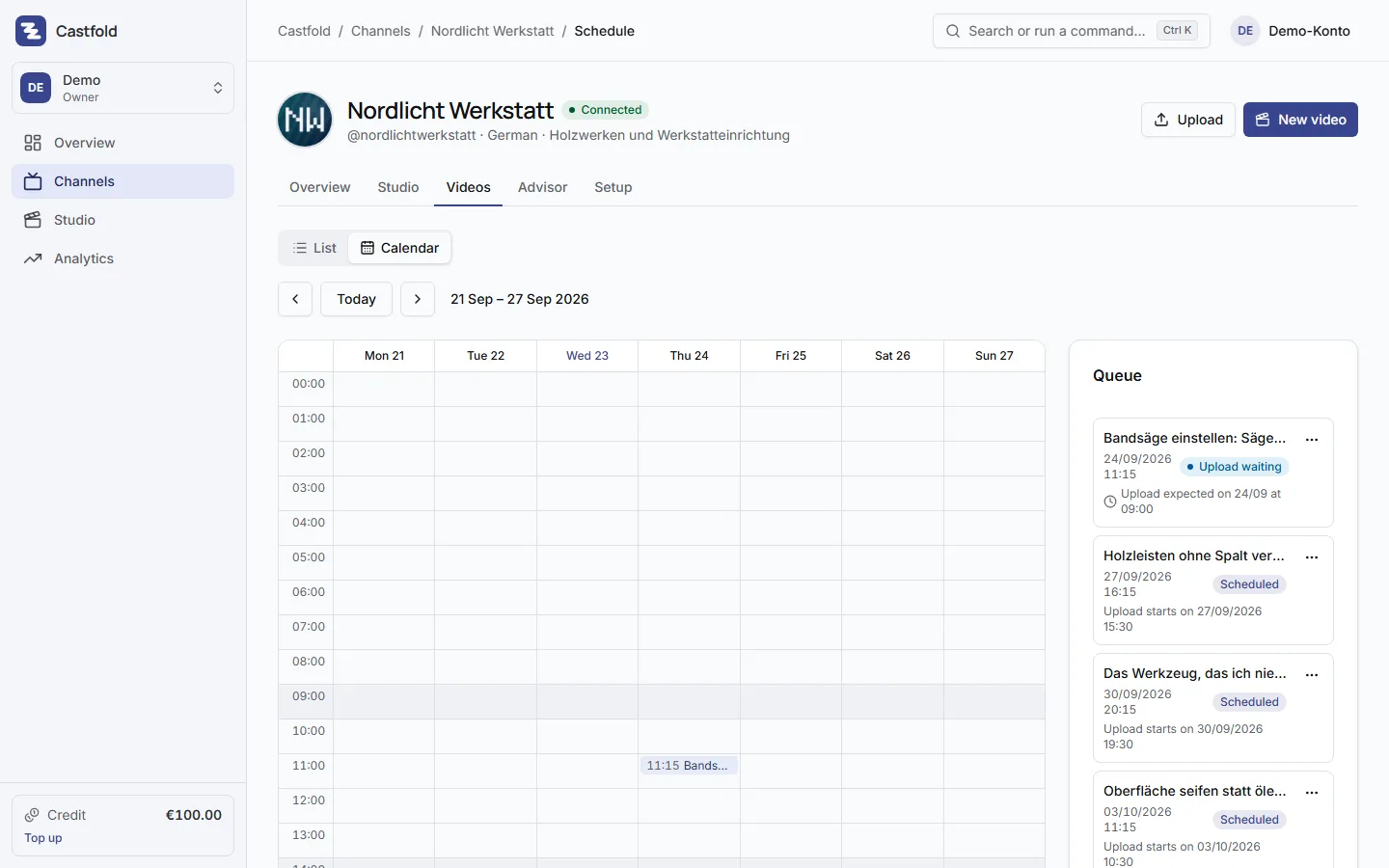
Adding a video
Upload the file, set title and language and optionally attach the script. The metadata AI turns the script into title, description and tags; your own title stays, the AI title sits next to it as an alternative. Shorts are detected and scheduled accordingly. Castfold sets no file-size limit of its own; YouTube’s technical limit of 256 GB applies.
Description template
Each channel has a template with variables that are filled in on publish: affiliate links, social links, default hashtags, call to action and an AI disclaimer, so the label for synthetic content is never forgotten.
Organic cadence instead of upload bursts
Posting rules per channel define how many videos go out per day, the minimum spacing, how much the times are randomly jittered and which hours are preferred. “Next free slot” schedules by these rules; if you break them on purpose, you see the violation and can override it.
Weekly grid
Scheduled and published videos sit in a weekly grid, up to 12 months ahead. Drag a video to another day or hour and the plan adjusts.
Immediate upload, YouTube publishes on time
As soon as you schedule a video, Castfold uploads it to YouTube right away: private, with your publishing date. YouTube itself makes it public exactly on schedule, so your publishing time stays precise. Castfold spreads uploads across all channels over the day. For brand-new channels, the first 30 days carry a pacing rule against upload bursts: at most two scheduled uploads per 24 hours, at least three hours apart, never later than your date. Established channels have no such limit.
Video files: parked for 30 days, then a fresh upload
If you upload a file without scheduling it, Castfold keeps it for 30 days and sends a reminder by email seven days before deletion; the title, description and thumbnail are retained, and you can simply upload the file again whenever you need to. Such parked files are subject to a limit of 50 GB per account. Once a video is scheduled or published, Castfold removes its own copy as soon as YouTube has processed it, at the latest 48 hours after the transfer.